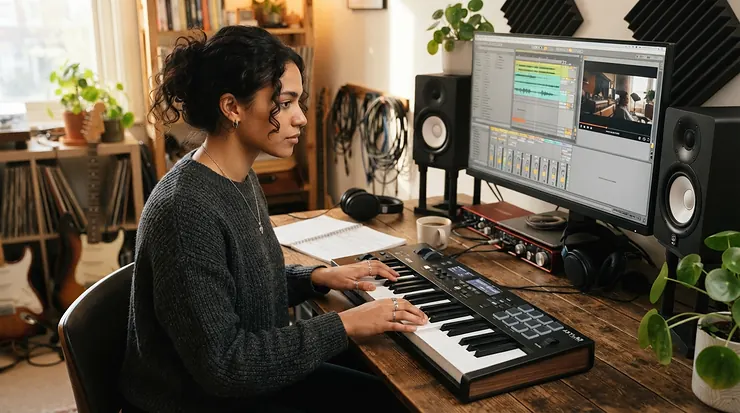
Two controllers sold as midi keyboards can differ by about 36 pounds. The Akai MPK Mini IV weighs roughly 2.3 pounds, while the M-Audio Hammer 88 tips the scale at 38.5. One has 25 small keys and eight drum pads; the other has 88 full-size hammer-action keys and a single fader. For 2027 shoppers, the sensible order is to settle how many keys your hands need, then how those keys should feel, then which knobs, pads or faders deserve desk space, and only after that look at connections and price.
That sequence is the backbone of this guide, and four real controllers are matched to it further down. The findings rest on maker and dealer spec pages, reviews from Sound On Sound, MusicRadar and SoundGuys, and owner threads on public forums; no unit was played for this article, so every comment about key feel belongs to the reviewer who made it. Prices appear as ranges, and the current price on Amazon.com may differ.
The short answer: your hands, your desk and your software decide
A MIDI keyboard produces no sound by itself. It sends note, velocity and control messages to software or a hardware synth, so the purchase is really a keybed plus a handful of controls. Three situations cover most shoppers:
Bass lines, drum programming and travel: 25 mini keys with pads, such as the Akai MPK Mini IV or the Arturia MiniLab 3.
Two-handed chords with hands-on control of a DAW: 49 semi-weighted keys with faders, such as the Novation Launchkey 49 MK4.
Piano parts: midi keyboards with weighted keys in the 88-key size, such as the M-Audio Hammer 88.
The rest of this guide is a way of checking which of those three you really are, and what can go wrong once the cable is plugged in.
Best midi keyboards begin with key count, and your hands set the number
Sweetwater’s buying guide says controllers generally come in 25, 49, 61 or 88 keys, and it ties the choice to studio space, whether you play with two hands, whether you want keyboard splits and how often the controller travels. Twenty-five keys span about two octaves, and octave buttons do the rest: Akai’s page for the Akai MPK Mini IV lists a ten-octave range through its up and down buttons. Output’s buyer’s guide adds that pianists may find 25 keys limiting and should look at larger keybeds.
Forty-nine keys is the four-octave middle ground, which is how MusicRadar describes the Novation Launchkey 49 MK4. It leaves room for chords under both hands, though one poster in an Elektronauts thread on the Launchkey MK4 explains where it can still fall short: as a main controller for bass and melody played together, he wants 61 keys so he never has to transpose octaves. At 88 keys you get the full piano range, and the cost appears in space as much as price. The Novation Launchkey 49 MK4 is 28.7 inches wide; the M-Audio Hammer 88 measures 55.9 inches across, nearly twice that.
Midi keyboards with weighted keys: what hammer action adds and what it costs
Sweetwater sorts key action into three types. Weighted hammer action copies a piano’s mechanical feel with weights and springs and suits people who mostly play piano. Semi-weighted action offers lighter resistance and a springier release, a middle option for players who don’t need true piano response. Synth action is light and quick to return, which helps with fast leads and arpeggios, and compact models often use it.
Full weighting carries a physical price. A Reverb guide’s author says he doesn’t believe five-octave weighted keyboards exist and notes that even six-octave models are only semi-weighted, so a decent weighted action generally means a seven-octave instrument that is both heavy and relatively expensive. The spec sheets agree: the M-Audio Hammer 88 weighs 38.5 pounds, against about 9 pounds for the semi-weighted Novation Launchkey 49 MK4.
Feel is personal, and the reports show it. Sound On Sound’s reviewer found the M-Audio Hammer 88 light enough to play fast yet weighty enough to be satisfying, but noted that rapid single-note repetition eventually strains the key return, that the glossy surface can turn slippery in sweaty conditions, and that the default hard velocity curve suits pianists more than players raised on lighter synth action. One owner on the Keyboard Corner forum, after about six months with the same model, called the action heavy and sluggish, so treat the praise as one view among several.
Aftertouch is a separate wrinkle. Sweetwater says it usually appears on higher-end controllers and that polyphonic aftertouch is costly. Sound On Sound found none on the M-Audio Hammer 88, and the Novation Launchkey 49 MK4 offers it on its pads, though a dealer spec table lists none for the keys. That tension between piano feel and production tools is the heart of the midi keyboard vs digital piano debate covered below.
Pads, faders and knobs: which controls earn their space
Controls decide how often you reach for the mouse. SoundGuys found the pads on the Akai MPK Mini IV the best it had met at that size for finger drumming, yet the unit has eight knobs and no faders. The Arturia MiniLab 3 adds four sliders, although Sound On Sound’s reviewer found their default Analog Lab mapping to master bass, mid, treble and level restrictive; in DAW mode they become channel controls.
The Novation Launchkey 49 MK4 goes furthest. Its nine faders default to track levels, buttons beneath them handle custom functions and keyboard splits, and MusicRadar describes scale and chord modes that lock playing to a scale or assign a chord to each key. A matching software setup matters more than the count of knobs, because Sweetwater notes that some controllers automap their controls to your software while the rest rely on MIDI learn to fill the gaps.
Midi keyboard how to use: from the USB cable to the first note
Setup is mostly one cable and a few settings, though some models add a software step. In order:
Connect over USB. Sweetwater says all modern controllers transmit MIDI via USB, and all four controllers in this guide run on USB bus power. The M-Audio Hammer 88 has no power switch, so only the glow of its wheels shows it is on, according to Sound On Sound.
Let the operating system recognize it.MIDI.org explains that USB MIDI belongs to the class-compliant audio family, so the computer loads a built-in driver automatically; manufacturer drivers add extras rather than being required.
Install the maker’s software only if the model needs it. SoundGuys describes registration, a software manager, a firmware update and several downloads for the Akai MPK Mini IV, and says the first hour can overwhelm a total beginner.
Choose the controller as the MIDI input and load an instrument. The sound comes from the computer, not the keyboard; a how-to from retailer Pianu says you must assign a sound with software, such as a piano plugin for piano tone.
Map the controls. Some models automap to your DAW; where one doesn’t, use the software’s MIDI learn.
Add a sustain pedal. Sweetwater says almost all controllers have a switch-type sustain jack, adds that basic models often lack a continuous expression jack, and warns that inexpensive ones may fix it to CC 7 or 11, which MIDI learn can remap. A zZounds reviewer of the M-Audio Hammer 88 reported that the pedal stayed dead until a setting was changed in the editor.
Tablet users need one extra check. MIDI.org says iOS blocks driver installs, so a controller with a manufacturer driver still works there as a class-compliant device but loses the extras. Soundgale’s review of the Arturia MiniLab 3 warns that not every control responds when it is connected to an iPad. Controllers with a 5-pin MIDI output, such as the Novation Launchkey 49 MK4, can also drive a hardware synth with no computer at all, per Kraft Music’s listing.
Midi keyboard vs digital piano: where each one earns its desk space
The dividing line is sound. A digital piano carries sampled piano tones and speakers; a controller carries neither, according to Music Gateway, and needs software or a sound module behind it. Gear4music’s keyboard-versus-piano comparison puts digital-piano speakers at roughly 15 to 30 watts, above the lower-wattage speakers common on portable keyboards, and lists higher price and lower portability as the piano’s drawbacks.
The overlap runs one way. Most digital pianos send MIDI over USB, so they can record into a DAW, as Music Gateway and MusicRadar both explain, while a controller cannot make sound alone, a point The Tools Trunk spells out. A Violet Recording guide calls key feel the single biggest difference and suggests producers consider either a controller or a digital piano with USB-MIDI to cover both jobs.
So the choice follows the habit. Sitting down to play piano with no computer running describes a digital piano. Programming drums, layering synths and launching clips describes a controller, and a weighted model such as the M-Audio Hammer 88 bridges the gap on key feel only: Sound On Sound calls it best for piano-oriented work rather than MIDI power use.
Midi keyboard under 5000: reading the number in two currencies
The phrase carries no currency, and the answer changes with it. In US dollars, $5,000 sits far above every controller covered here, so the budget should follow the keybed you need rather than the ceiling: around $100 buys the Akai MPK Mini IV, between $270 and $320 covers the Novation Launchkey 49 MK4, and around $550 reaches an 88-key weighted board. If the figure is a rupee budget, convert it at the current rate before comparing, because the result may land under the cheapest pick here.
Two details help at the low end. Bundled software carries part of the value: the Akai MPK Mini IV ships with a software instrument offering more than 1,000 sounds, per Akai, while Sound On Sound counted about 500 patches in the intro version of Analog Lab bundled with the Arturia MiniLab 3, against 9,000 in the full release. Older generations can also cost less: MusicRadar still calls the Akai MPK Mini MK3 a valid pick for anyone who needs something cheaper than the IV, though one dealer lists it as no longer available.
Four ways first purchases go wrong, and how owners recovered
Each of these shows up right after the midi keyboard how to use steps above, and each has a documented fix.
Mini keys bought for piano parts
SoundGuys says the mini keys on the Akai MPK Mini IV work for basslines, melodies and chords but aren’t ideal for piano parts, and that trained keyboardists may find them too small. The fix is to keep the mini as a beat pad and step up to a full-size keybed, 49 keys or more, for actual playing.
Plug-and-play assumed to cover every control
Reports vary by DAW. A KVR Audio forum thread from August 2025 describes a Novation Launchkey 49 MK4 owner whose keys and pads reached Waveform while no other control did, and Novation’s support site lists articles on fader buttons misbehaving in DAW mode and on installing Cubase scripts. Sound On Sound’s reviewer found that the transport buttons on the Arturia MiniLab 3 also sent notes in Ableton Live and Logic until the control port was disabled by hand. Checking for a script or template for your own software before ordering is cheaper than discovering the gap afterward.
Pedal and editor surprises on weighted boards
The Sound On Sound reviewer of the M-Audio Hammer 88 could not keep the free editor app and the DAW connected at once and had to close the DAW to send changes. A Thomann reviewer reminds buyers to purchase sustain pedals as well, and the zZounds buyer mentioned earlier had to dig into the editor before the pedal worked. Budget a pedal and an hour of setup.
Free software mistaken for a full library
Sound On Sound notes that playlists in Analog Lab require the full version, which the Arturia MiniLab 3 doesn’t include. MusicRadar says the bundle with the Novation Launchkey 49 MK4 leans toward general production more than keyboard playing. Plan on a piano or synth plugin if the bundled sounds aren’t what you want to play.
Midi keyboards reviews narrowed to four controllers, each tied to a step
Reading midi keyboards reviews side by side shows how rarely one feature wins twice. Each pick below answers a different decision from the method: the smallest footprint, the lowest price with sliders, the two-handed DAW surface and the full piano range. The best midi keyboards for one situation are rarely the best for another, so the table keeps the differences in view.
Model
Keys and feel
Hands-on controls
Weight
Typical price
Akai MPK Mini IV
25 mini keys, synth action
8 pads, 8 knobs, 2 wheels
About 2.3 lb
Around $100
Arturia MiniLab 3
25 slim keys, synth action
8 pads, 8 encoders, 4 sliders
3 to 4 lb (pages differ)
$110 to $150
Novation Launchkey 49 MK4
49 full-size, semi-weighted
16 pads, 9 faders, 8 encoders
About 9 lb
$270 to $320
M-Audio Hammer 88
88 full-size, hammer action
1 fader, 2 wheels, 3 pedal inputs
38.5 lb
Around $550
Weight climbs faster than price: the heaviest pick weighs about 17 times the lightest, while its price is roughly five and a half times higher (my arithmetic). The middle two picks are where the control surface does the most work, and the outer two are where the keybed does. Spotted a layout that fits your desk? Take a closer look at the listings below.
A backpack, a laptop and a bedroom desk are the setting this controller is built around. The Akai MPK Mini IV packs 25 velocity-sensitive mini keys, eight RGB pads that respond to velocity and pressure, eight knobs, real pitch and modulation wheels in place of the older joystick, a small color screen, USB-C and a full-size 5-pin MIDI output into roughly 2.3 pounds, per Akai’s and B&H’s spec pages. It also bundles a software instrument with more than 1,000 sounds from AIR, Akai Pro and Moog, plus Ableton Live Lite 12 and trials of Melodics and Splice.
SoundGuys’ one-week test in Ableton Live 12 scored it 8.1 and called its pads the best at this size for finger drumming, while listing mini keys, no faders, no audio output and a plastic build as the trade-offs. MusicRadar’s verdict still places it among the best controllers on the market. Pricing sits around $100, the lowest of the four.
Setup is the one friction point: registration, a software manager and a firmware update come first. Audiofanzine adds that the box holds only a printed quick-start card, with the full manual as a PDF download.
Akai MPK Mini IVSee current price, sizes and reviews on Amazon.
Price tier decides this one. The Arturia MiniLab 3 has sat between roughly $110 and $150 depending on the dealer and the date, a little above the Akai and with four sliders the Akai lacks. Sound On Sound describes a footprint about the size of a 15-inch laptop holding eight pads, eight endless encoders, those four sliders, a DIN MIDI output, a pedal input and an onboard arpeggiator, all under a five-year warranty. B&H lists the bundle as Analog Lab Intro, UVI Model D, Native Instruments’ The Gentleman, Ableton Live Lite, Loopcloud and Melodics. Weight is given as 3 pounds on B&H and 4 pounds in Pro Tools Expert’s review, so the sources disagree.
Pros:
Eight endless encoders, four sliders and eight pads in a laptop-sized footprint, per Sound On Sound
Stand-alone MIDI out, an arpeggiator and recycled-plastic construction
Pro Tools Expert’s reviewer praised the keys and the all-in-one software package
Cons:
Analog Lab Intro offers about 500 patches against roughly 9,000 in the full version
Transport buttons played notes in Live and Logic until the control port was disabled, and Pro Tools gets no DAW control
Soundgale warns that not every control works from an iPad
Arturia MiniLab 3See current price, sizes and reviews on Amazon.
Forty-nine full-size semi-weighted keys put four octaves under both hands, and the Novation Launchkey 49 MK4 surrounds them with 16 pads that send polyphonic aftertouch, nine faders, eight encoders and an OLED display, per Novation’s page and MusicRadar. It runs on bus-powered USB-C, adds a 5-pin MIDI output and a sustain pedal jack, can split the keyboard into two zones and weighs about 9 pounds. Dealer listings show a three-year limited warranty, and pricing runs between $270 and $320 across the maker’s store and one large dealer.
MusicRadar called the semi-weighted keys credible, especially with piano sounds, but noted the extra heft, control labels that could be larger or better lit, and a software bundle aimed more at production than at playing. Single reports add wrinkles: a Thomann buyer says the plastics and buttons feel cheaper than on an earlier Launchkey, and the Elektronauts poster quoted above would still want 61 keys for bass-and-melody work.
Pad aftertouch is covered, but key aftertouch is not: a Kraft Music spec table lists none, and a German-language reviewer on Thomann’s page counted its absence as the first criticism.
Novation Launchkey 49 MK4See current price, sizes and reviews on Amazon.
Size and weight come first here: 55.9 inches wide and 38.5 pounds, per zZounds’ spec listing, so this board needs a stand and a plan. Sound On Sound’s review describes 88 fully weighted hammer-action keys in a solid chassis, with the wheels on a left-hand panel, one fader, two buttons, three pedal inputs, a 5-pin MIDI output and USB bus power. The bundle includes Ableton Live Lite plus AIR and SONiVOX piano instruments, according to zZounds. The reviewer’s verdict: a quality weighted board for the money, best suited to piano-oriented work and not aimed at MIDI power users.
Pros:
A professional musician on zZounds compared the action with a Yamaha KX-8 and called it more road-worthy; Sound On Sound found it light enough to play fast
Three pedal inputs and a free preset editor for zones, velocity curves and assignments
Cons:
Glossy keys can feel slippery, and the default hard velocity curve may tire players used to lighter actions
One Keyboard Corner owner found the action heavy and sluggish after about six months
Controls are minimal, with no pads and a single fader
Price needs care: older reviews quote around $400, while current dealer listings from Sweetwater and zZounds sit nearer $550. Compare the M-Audio Hammer 88 with the Hammer 88 Pro before ordering, because they are separate keyboards with different actions and extras. Pedals are not in the box, per zZounds’ list of contents.
M-Audio Hammer 88See current price, sizes and reviews on Amazon.
Sound, key count and budget: straight answers before you order
Does a MIDI keyboard make sound by itself?
No. A controller only sends note, velocity and control data, so you need a computer, tablet or sound module to generate audio, plus headphones or speakers to hear it. Digital pianos differ because they include sounds and speakers; some controllers bundle software instruments.
How many keys do I need on a MIDI keyboard?
Sweetwater says controllers generally come with 25, 49, 61 or 88 keys. Twenty-five suits basslines, drum programming and travel, 49 or 61 gives both hands room for chords, and 88 matters mainly when you play piano parts across the full range.
Is there a good midi keyboard under 5000?
It depends on the currency. In US dollars every controller in this guide fits with room to spare; in rupees, convert first, because the result may land below the roughly $100 the cheapest pick costs. Older generations and bundled software can stretch a small budget.
Can I use a MIDI keyboard with an iPad or phone?
Usually, if it is USB class compliant, because iOS does not allow driver installs and MIDI.org says class-compliant devices still work there. You may need the right cable or adapter, and some controls can fail; Soundgale's review of a compact Arturia controller warns of exactly that on an iPad.
Are semi-weighted keys enough for learning piano?
Sweetwater calls semi-weighted action a middle option for players who don't need true piano response, and says hammer action mimics a piano's mechanics. If acoustic piano technique is the goal, hammer action is the closer match; semi-weighted suits keyboard and production playing.
Which keys to buy: one rule that settles it
Picking among midi keyboards gets easier once the choices are put in order: how many keys your hands need, how the keys should feel, then which controls your software will map. Bass lines, beats and travel point to the Akai MPK Mini IV, with the Arturia MiniLab 3 adding sliders and a longer warranty for a little more money. Two-handed chords with a full DAW surface point to the Novation Launchkey 49 MK4. Piano parts point to the M-Audio Hammer 88, provided its 38.5 pounds and glossy keys suit the room and the player. Whichever you shortlist, plug it in over USB, confirm your DAW sees every control, and budget for a sustain pedal and a software instrument. Spotted a layout that fits your desk? Take a closer look at its listing on Amazon.com.
Disclaimer: This post contains affiliate links. As an Amazon Associate, I earn from qualifying purchases made through these links, at no additional cost to you.
Open the four listings side by side and let your hands settle the 25-key versus 88-key question.