Does a small USB box really change how a recording sounds, or is it one more cable on a crowded desk? Ableton’s setup guide credits audio interfaces with better sound quality, lower latency, extra inputs and outputs, and direct monitoring, and those four gains explain why the step up from a laptop’s headphone jack is so audible. For 2027, the six models below each answer a different situation: a tight budget, a streaming desk, a tube-flavored preamp, a first-time default, a meter-first design and a DSP-equipped workhorse.
The findings rest on published audio interfaces reviews from MusicRadar, Trusted Reviews, Engadget, Sound on Sound and American Songwriter, maker spec pages, and owner reviews left at dealers such as Thomann and Long & McQuade; no unit was set up for this guide, so any comment about feel or sound belongs to the reviewer named beside it. Prices appear only as tiers, since Amazon.com listings move, so check the current price on Amazon.com before you decide.
How the shortlist was cut: drivers, preamps and desk space
Dubspot’s producer guide notes that at entry level the real-world gap between models is smaller than the marketing implies. That is why this shortlist leans on what changes daily use rather than on adjectives about sound. MusicRadar’s roundup of ten interfaces under about $200 shows how crowded the tier is, and most of the boxes in it are small two-input units.
Four things separate the picks. The first is the Windows driver: whether the box is class compliant, ships its own ASIO driver, or leans on a free workaround. The second is preamp gain, because quiet microphones need more of it; MusicRadar’s reviewer calls the 69 dB on one pick ideal for low-output mics such as ribbons, while another maker quotes 58 dB. The third is how you hear yourself while recording, through direct monitoring or onboard DSP. The fourth is the extras: MIDI ports, loopback for streaming, metering.
Sample rate is the least useful line on these spec sheets. Five of the six convert at up to 192 kHz, and the Audient EVO 4 stops at 96 kHz, a cap MusicTech mentions because many rivals go higher.
Inputs, drivers and extras compared across the six
Model
Inputs and outputs
Resolution
Windows driver
Standout extra
MIDI
Behringer U-Phoria UMC202HD
2 combo in, 2 out, headphone
24-bit/192 kHz
Behringer ASIO driver
Midas preamps, mostly metal body
No
Audient EVO 4
2 combo in, 2 out, headphone
24-bit/96 kHz
Class compliant; desktop app for loopback
Smartgain and loopback
No
Universal Audio Volt 2
2 combo in, 2 out, headphone
24-bit/192 kHz
ASIO driver via UA Connect
Switchable Vintage preamp mode
Yes
Focusrite Scarlett 2i2 4th Gen
2 in, 2 out, headphone
24-bit/192 kHz
Class compliant; Focusrite driver adds ASIO
Auto Gain, Clip Safe, Air
No
MOTU M2
2 combo in, balanced and RCA out, headphone
Up to 192 kHz
MOTU driver with loopback channels
Color LCD level meters
Yes
Steinberg UR22C
2 combo in, 2 out, headphone
32-bit/192 kHz
Yamaha Steinberg USB driver
Onboard DSP effects
Yes
Only three of the six carry MIDI ports: the Universal Audio Volt 2, the MOTU M2 and the Steinberg UR22C. Anyone with a hardware synth or a keyboard that needs a five-pin connection has just narrowed the field to those. Everyone else can ignore that column and spend the attention on drivers.
The best audio interfaces for six different desks
Each entry starts from a situation and works back to the box, beginning with the cheapest.
American Songwriter’s review puts the Behringer U-Phoria UMC202HD right around the $100 mark, which is why it anchors so many sub-$100 shortlists. For that money Behringer supplies two combo inputs with Midas preamps, 24-bit/192 kHz conversion, a front headphone jack and two monitor outputs on the back, in a body the reviewer describes as mostly metal with plastic controls.
The latency story is the interesting part. The same reviewer reports roughly 10 ms through the drivers built into Windows and as low as 4 ms after installing Behringer’s official ASIO drivers, with direct monitoring available for zero delay. That is one reviewer’s measurement, not a lab result, and driver versions matter: a buyer in Adorama’s question-and-answer section reports sound dropping out under the newer Windows 10 driver and going back to an older 2.23 release.
Trade-offs are the expected ones for this tier. American Songwriter lists a build that feels flimsy at times, no MIDI, no onboard compressor, preamps that sound clean but lack warmth, and a basic bundle of a Tracktion license plus downloadable plug-ins. The smaller Behringer UMC22 undercuts it; MusicRadar lists that model with one combo input, one Hi-Z input and no dedicated Windows driver, so ASIO4ALL is needed, and calls it noisier than similarly priced rivals while doubting that beginners would hear the difference. Only a USB cable comes in the Behringer U-Phoria UMC202HD box, so an XLR cable is a separate purchase.
Behringer U-Phoria UMC202HDSee current price, sizes and reviews on Amazon.
2. Audient EVO 4 — loopback and automatic gain for streamers
Streamers who need game audio, a browser tab and a microphone mixed on one machine get the most out of the Audient EVO 4. Guitar World describes its loopback as routing a computer’s system sounds into the recording alongside mic and instrument sources, and a Thomann buyer reports that the loopback channels work through both ASIO and Windows drivers. Trusted Reviews adds a condition: loopback requires the EVO desktop software on PC or Mac.
The other headline feature is Smartgain. Adorama’s product Q&A says it analyzes peaks and sets both input gains in under 20 seconds, and MusicTech describes the same routine, triggered by a button on the unit. The preamps reach 58 dB of gain, the converters run at 24-bit/96 kHz with a quoted 113 dB dynamic range, and the whole box weighs about 12.7 ounces.
Sources disagree on the build: MusicRadar calls it sturdy, while Trusted Reviews describes a plastic body, so handle one before assuming either. Physical quirks recur across reviewers. MusicRadar finds the tall front awkward to reach over, and the Mixdown magazine reviewer notes that stiff cables can push the unit off a desk.
Pros:
Smartgain sets both input levels automatically
Loopback for streaming and podcasting
One large dial handles most level control, according to MusicRadar
Cons:
Converters stop at 96 kHz
One Thomann reviewer notes that gain settings are not remembered across restarts
Loopback depends on the desktop app
Audient EVO 4See current price, sizes and reviews on Amazon.
The word to know on the Universal Audio Volt 2 is Vintage: a button that Universal Audio says emulates the tube circuitry of its 610 preamp, as both Gearnews and Mix relay. Engadget’s reviewer calls the effect a subtle, analog-style tonal change and kept it on often. Two combo inputs sit on the front, each with its own gain knob, alongside buttons for 48V, Vintage and line or instrument level; the back carries MIDI in and out, and the converters run at 24-bit/192 kHz.
What the Volt 2 lacks is the 76 Compressor, the 1176-style circuit with vocal, guitar and fast presets that lives on the Universal Audio Volt 276 and the larger models. Engadget’s verdict on the plainer unit is “reasonably priced, perfectly serviceable,” with the reviewer unable to tell its clean audio from rivals reliably in blind tests. Direct monitoring is a plain on/off switch with no blend control, and the clip lights are tiny.
Windows buyers should read the driver details before ordering. Sound on Sound says an ASIO driver must be installed on Windows, a variant of the Thesycon design that should be adequate if not class-leading, and ProdJunkies notes that a UA account is needed to download it through UA Connect. A reviewer on UA’s own Volt 176 page complains that there is no standalone driver download when the installer cannot connect, and a Volt 276 owner on UA’s page says the ASIO driver failed a few times until the device was reselected in the DAW. Those are individual reports about one driver family; Tape Op notes that the line otherwise runs on Windows without a driver, though UA recommends installing its ASIO driver for better performance.
Universal Audio Volt 2See current price, sizes and reviews on Amazon.
MusicRadar’s expert-tested roundup gives the Focusrite Scarlett 2i2 4th Gen its best-overall slot, praising the rugged compact body, strong preamps and very low latency, and a separate under-$200 list calls the sound neutral with reliable drivers. The reworked preamps offer up to 69 dB of gain, and the converters are rated at 120 dB dynamic range.
Three automation features matter most to beginners. Auto Gain listens to the input for about ten seconds and sets the level, Clip Safe adjusts gain in real time to stop clipping (it works best from a sensible starting gain), and Air comes in two stages, a presence lift or presence plus harmonic drive, the second of which the reviewer found flattering on DI electric guitar and bass. The same reviewer would have preferred combo inputs and notes that some functions depend on Focusrite’s Control software; MusicRadar’s list places the two instrument inputs on the front and the mic XLRs on the back.
On Windows, Guitar World confirms the 4th Gen units are class compliant and run without a driver, while a SpecDB review says Focusrite recommends its Control 2 package, which includes ASIO, for low latency. Owner reports show the usual Windows friction. One Thomann reviewer on Windows 11 saw the interface vanish from the sound settings until the ASIO driver was reinstalled, and Focusrite’s own support page says the Control 2 installer fails to detect the device on some Windows machines. The same page notes that a loose USB connection can stop the 4th Gen from being recognized or powered, so a firmly seated cable is the first thing to check.
Focusrite Scarlett 2i2 4th GenSee current price, sizes and reviews on Amazon.
The color LCD on the MOTU M2 shows level meters for every input and output, which is MOTU’s main pitch against rivals that make do with LEDs. Behind it sit two combo inputs with independent preamp gain and independent 48V, balanced TRS plus mirrored RCA outputs, MIDI in and out, and loopback channels in the driver for streaming. MOTU quotes 120 dB dynamic range on the main outputs from ESS Sabre32 Ultra converters, minus 129 dBu equivalent input noise on the mic inputs, and 2.5 ms round-trip latency at 96 kHz with a 32-sample buffer. Those are the maker’s figures, though bench measurements cited by the Frieve review site, drawing on Audio Science Review, put line-out dynamic range near 120 dB(A).
Owner notes are mixed in useful ways. Equipboard’s roundup of owner discussions lists meters without dB readings, a short bundled USB cable, no way to link the two gain knobs for stereo recording, and a loopback setup that can confuse simpler software. Soundgale reports that with current drivers and firmware the meters match the peak meters in recording software.
Reliability reports are thinner but worth knowing: at least two of the nine owner reviews on Long & McQuade’s page describe a unit that died. That is a small sample, though it argues for buying the MOTU M2 from a seller with an easy return policy.
MOTU M2See current price, sizes and reviews on Amazon.
Hearing reverb or an amp simulation while you track, with no delay, is the party trick of the Steinberg UR22C. MusicRadar explains that a Yamaha SSP3 DSP chip runs REV-X reverb, a Sweet Spot Morphing Channel Strip and Guitar Amp Classic inside the box, and the same effects also ship as plug-ins for mixing later. A Guitar Center owner reports two years on Windows 10 with no trouble and likes recording guitar direct while hearing a virtual amp latency-free, a single report that matches the design intent.
The hardware is straightforward: two combo inputs with 48V and a hi-Z option on input 2, D-Pre class A preamps, standard five-pin MIDI In and Out, balanced outputs, a headphone output, USB 3.1 over USB-C and an all-metal case, with Cubase AI and Cubasis LE in the bundle. B&H’s spec sheet lists mic gain from +6 to +60 dB and 102 dB input dynamic range. Makers measure under different conditions, so the gap to the 113 dB and 120 dB figures quoted elsewhere in this guide is a reason to listen rather than a ranking. A Digital Audio Laboratory column by Ken Fujimoto notes that the shared Yamaha Steinberg USB driver gained a Mode setting with Low Latency, Standard and Stable options. One B&H listing marks the Steinberg UR22C as no longer available while Steinberg’s own site still lists it, so confirm stock before planning around it.
Pros:
DSP reverb, channel strip and amp simulation with zero-latency monitoring
MIDI in and out
Rugged metal enclosure
Cons:
iOS use needs a Lightning camera adapter and separate power, according to MusicRadar
Larger desk footprint, about 6.3 inches square per B&H
Input dynamic range on the spec sheet is lower than the figures quoted for several rivals
Steinberg UR22CSee current price, sizes and reviews on Amazon.
Audio interfaces under 100: what the budget tier gives up
Strictly under $100, the choices are thin. The Behringer U-Phoria UMC202HD sits around that mark in American Songwriter’s review and the Behringer UMC22 costs less, while the other four models in this guide are priced above the line in the reviews and dealer pages consulted. Dealer prices swing, so check the current price on Amazon.com.
What the budget tier gives up is extras and polish. Neither Behringer has MIDI, the UMC22 tops out at 48 kHz and needs a third-party Windows driver, and the UMC202HD’s preamps sound clean but without warmth. Dubspot adds that entry-level boxes use plastic chassis and ship with generous software bundles, which fits the flimsy-feel remark in the UMC202HD review. If you record alone and want levels set for you, the automatic gain on the Audient EVO 4 and the Focusrite Scarlett 2i2 4th Gen is the clearest reason to spend more.
Audio interfaces for PC: the driver step that decides latency
Windows ships generic audio drivers that were not designed for tracking. A Vochlea setup guide warns that the standard drivers carry a high risk of long latency, crackle and dropouts, and Soundbridge’s low-latency guide says ASIO bypasses the Windows audio mixer so the recording software talks to the hardware directly. Ableton’s help page recommends ASIO on Windows and names ASIO4ALL, a free universal driver, as the fallback. The American Songwriter numbers show the size of the gain: about 10 ms through built-in drivers against as low as 4 ms with ASIO.
Among the six, the Focusrite Scarlett 2i2 4th Gen and Audient EVO 4 are class compliant according to Guitar World and Thomann. The Behringer U-Phoria UMC202HD and Steinberg UR22C come with maker drivers, the Universal Audio Volt 2 needs UA’s installer, and the MOTU M2 adds loopback channels through its driver. Whichever you choose, plug it straight into a USB port; Ableton advises a powered hub only when there is no free port.
Audio interface vs mixer: when a board still makes sense
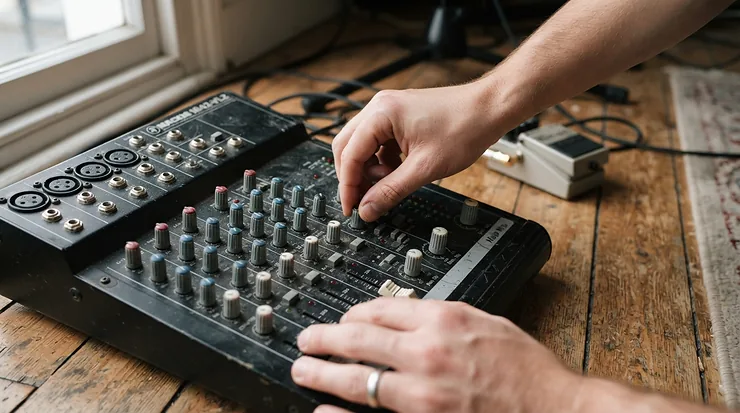
MusicRadar’s comparison scores the two by category. A mixer wins on connectivity, since interfaces usually offer only two to four inputs, which suits recording one instrument at a time. The interface wins on portability, because mixers get bulky past 16 channels, and it is judged easier to use because the recording software handles most routing. Usability is called a draw.
Cost favors the interface: a basic two-input model costs about what a four- to six-channel mixer does, and an eight-channel mixer without an interface costs roughly double that, with multitrack USB recording multiplying the figure again. MusicRadar’s verdict is that the choice is all about use case, and it suggests combining them: blend instruments and effects on a mixer, then feed its stereo output into an interface. For one voice, one guitar or a two-person podcast, an interface is the simpler tool.
How to use an audio interface: a first-session checklist
The order matters more than any single setting, so run through these once and the box will behave the same way every session.
Install the driver or control app first on Windows, then connect the interface directly to a USB port.
Open your recording software’s audio preferences and set the driver type to ASIO on Windows, as Ableton’s setup guide describes, and choose the interface as input and output device.
Set the buffer size. Ableton suggests 256 or 512 samples as a compromise between latency and CPU load, and Soundbridge advises dropping to 128 for recording and raising it again for mixing.
Connect the microphone or instrument. Condenser mics need 48V phantom power, while most dynamic mics do not, per M-Audio’s manual; Gear4Music suggests switching it on after the mic is plugged in.
Raise gain with a loud test take until peaks stay clear of the clip light; Violet Recording suggests peaks around minus 12 to minus 6 dBFS. The automatic gain modes mentioned above do this for you.
Turn on direct monitoring, or lower the buffer, so you hear yourself without delay, and bring monitor volume up slowly from zero.
Phantom power, buffer size, Windows drivers: quick answers
What does an audio interface do that a computer's headphone jack can't?
It adds a proper mic preamp with phantom power, converts analog signals to digital, and lets you hear yourself through direct monitoring. Ableton's setup guide credits interfaces with better sound quality, lower latency, extra inputs and outputs, and direct monitoring.
Do I need phantom power?
Only for condenser microphones, which generally need 48 volts from the interface. Dynamic microphones generally do not, according to M-Audio's manual, which says to switch phantom power on only when a microphone calls for it. Check the microphone's own documentation first.
Does an audio interface work on Windows without installing a driver?
Some do. Guitar World says Focusrite's 4th Gen units are class compliant and run on Windows without a driver, though a dedicated ASIO driver delivers the lowest latency. Some budget models have no dedicated driver at all and rely on ASIO4ALL, per MusicRadar.
What buffer size should I use when recording?
Ableton recommends 256 or 512 samples as a compromise between latency and CPU load. Many guides drop to 64 or 128 while tracking, then raise it for mixing. If audio crackles, raise the buffer; if monitoring feels late, lower it or use direct monitoring.
Are two inputs enough, or should I buy more?
Two inputs cover a solo vocalist, a vocalist plus guitarist, or a two-person podcast. MusicRadar notes that interfaces usually offer two to four inputs, which suits recording one instrument at a time; several simultaneous sources point toward a mixer or a larger interface.
Matching one of the six to your desk
Among these audio interfaces, the decision rule is to settle the driver and the monitoring workflow first, then the price. The Behringer U-Phoria UMC202HD is the cheapest sensible start for one dynamic mic on a Windows PC. The Audient EVO 4 earns a higher spend on a streaming desk because of loopback and Smartgain, and the Focusrite Scarlett 2i2 4th Gen is the well-reviewed default for anyone who accepts installing Focusrite’s software. Add MIDI ports and the shortlist becomes the Universal Audio Volt 2 for its Vintage preamp, the MOTU M2 for its meters, or the Steinberg UR22C for DSP effects while tracking. Check current availability on Amazon.com for whichever one matches your inputs and operating system.
Disclaimer: This post contains affiliate links. As an Amazon Associate, I earn from qualifying purchases made through these links, at no additional cost to you.
Ready to narrow it down? Compare current availability on Amazon.com for the interface that fits your inputs, your drivers and your budget.